
Dell PowerEdge R340 Server
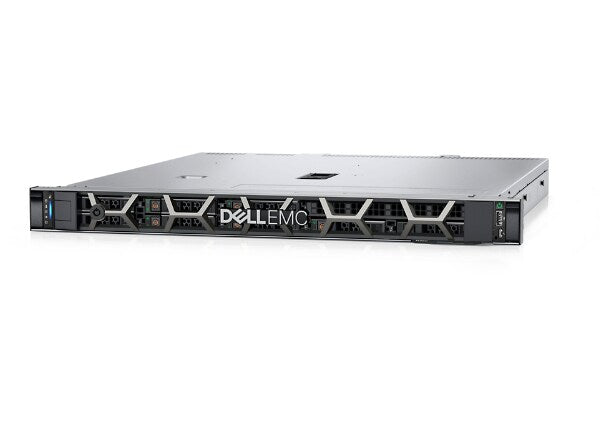
At Cloud Ninjas we offer the opportunity of you configuring the Dell PowerEdge R340, with a catalog of different possible chassis and the best prices so you can upgrade your business at the best price for performance. With single Intel Xeon E-2100 or E-2200 CPUs and 4 memory modules possible. The Dell PowerEdge R340 is a great server for small to medium businesses whom need servers for printers and files, storage, small virtualization among other low performance workloads. If more storage is needed the R340 offers more than its smaller counter part the R240.
- 1U Rackmount
- Virtualization
- Intel Xeon E-2100 & E-2200
- Small - Medium Companies

Configure your Dell PowerEdge R340 Server
Dell PowerEdge R340 Server Specifications
Cloud Ninjas' Dell PowerEdge R340 Specifications
Chassis
The Dell PowerEdge R340 server is perfect for automation. This 1U rackmount server has two different chassis options to choose from: 4 Bay LFF and 8 Bay SFF.
4 Bay LFF
The 4 Bay LFF chassis for the PowerEdge R340 supports up to four 3.5 SAS/SATA drives. 2.5" HDDs and SSDs can be plugged into the backplane via a 2.5" to 3.5" drive adapter. This chassis supports hot swap drives, meaning that drives can be installed or removed while the system is powered on. The rear of the chassis consist of one low-profile PCIe slot, one full-height PCIe slot, a serial connector, a VGA port, a dedicated iDRAC LAN port, two 1GbE RJ45 LAN ports, two type A USB 3.0 ports, and two hot-swap power supply bays.
8 Bay SFF
The 8 Bay SFF chassis is nearly identical to the 4 Bay LFF chassis, however the 8 Bay SFF supports up to eight 2.5" SAS/SATA hard drives or solid-state drives. The rear of the 8 Bay SFF chassis is the exact same as the 4 Bay LFF, and includes one low-profile PCIe slot, one high-profile PCIe slot, a serial connector, a VGA port, a dedicated iDRAC LAN port, two 1GbE RJ45 LAN ports, two USB type A USB 3.0 ports, and two hot-swap power supply bays.
Processing Power
The Dell PowerEdge R340 server has a single CPU socket that accepts Intel Xeon E-2100, Intel Xeon E-2200, Intel Pentium, Intel Core i3, or Intel Celeron processors. A maximum of 8 CPU cores are supported.
Supported Intel Xeon E-2100 Processors
| CPU | Step Code | Cores | Frequency | Cache |
|---|---|---|---|---|
| E-2104G | SR3WV | 4 | 3.2 GHz | 8 MB |
| E-2124 | SR3WQ | 4 | 3.3 GHz | 8 MB |
| E-2124G | SR3WL | 4 | 3.4 GHz | 8 MB |
| E-2126G | 6 | 3.3 GHz | 12 MB | |
| E-2134 | SR3WP | 4 | 3.5 GHz | 8 MB |
| E-2136 | SR3WW | 6 | 3.3 GHz | 12 MB |
| E-2144G | SR3WM | 4 | 3.6 GHz | 8 MB |
| E-2146G | SR3WT | 6 | 3.5 GHz | 12 MB |
| E-2174G | SR3WN | 4 | 3.8 GHz | 8 MB |
| E-2176G | SR3WS | 6 | 3.7 GHz | 12 MB |
| E-2186G | SR3WR | 6 | 3.8 GHz | 12 MB |
Supported Intel Xeon E-2200 Processors
| CPU | Step Code | Cores | Frequency | Cache |
|---|---|---|---|---|
| E-2224 | SRFAV | 4 | 3.4 GHz | 8 MB |
| E-2224G | SRFAW | 4 | 3.5 GHz | 8 MB |
| E-2226G | SRF7F | 6 | 3.4 GHz | 12 MB |
| E-2234 | SRFAX | 4 | 3.6 GHz | 8 MB |
| E-2236 | SRF7G | 6 | 3.4 GHz | 12 MB |
| E-2244G | SRFAY | 4 | 3.8 GHz | 8 MB |
| E-2246G | SRF7N | 6 | 3.6 GHz | 12 MB |
| E-2274G | SRFDE | 4 | 4.0 GHz | 8 MB |
| E-2276G | SRF7M | 6 | 3.8 GHz | 12 MB |
| E-2278G | SRFB2 | 8 | 3.4 GHz | 16 MB |
| E-2286G | SRF7C | 6 | 4.0 GHz | 12 MB |
| E-2288G | SRFB3 | 8 | 3.7 GHz | 16 MB |
Supported Intel Core i3 Processors
| CPU | Step Code | Cores | Frequency | Cache |
|---|---|---|---|---|
| i3-8100 | 4 | 3.6 GHz | 6 MB | |
| i3-9100 | 4 | 3.60 GHz | 6 MB |
Supported Intel Celeron/Pentium Processors
| CPU | Step Code | Cores | Frequency | Cache |
|---|---|---|---|---|
| Celeron G4900 | 2 | 3.10 GHz | 2 MB | |
| Celeron G4930 | 2 | 3.20 GHz | 2 MB | |
| Pentium G5420 | 2 | 3.80 GHz | 4 MB | |
| Pentium G5500 | 2 | 3.80 GHz | 4 MB |
Memory
DIMM Slots & Channels
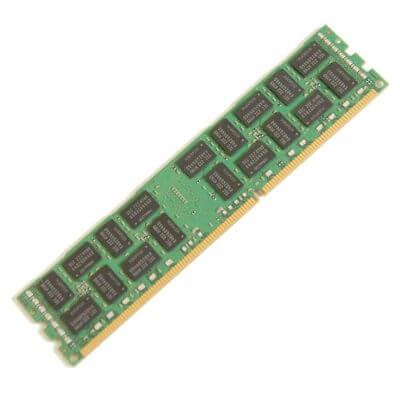
The Dell PowerEdge R340 Server has a total of 4 DIMM slots. There is a total of two memory channels, each consisting of two DIMM slots.
Memory Types & Module Capacities
This system accepts DDR4 memory. ECC Unbuffered (ECC UDIMM) memory is the only type of memory that can be used with the R340. Capacities of 4GB, 8GB, and 16GB can be used with the PowerEdge R340.
Max Configurations
The R340 server allows for a maximum memory configuration of 64GB with 4x16GB ECC UDIMMs.
Supported Memory Speeds
The Dell R340 supports memory speeds of 2133MT/s, 2400MT/s, 2666MT/s. The processor you have installed will determine the max memory speed that you can use with your system. For example, if your processor supports a max memory speed off 2400MT/s and you install a 2666MT/s module, the module will clock down to 2400MT/s. 2666MT/s is the fastest possible speed for this system.
Storage
Supported Drives (2.5”)
| Type | Speeds | Max Capacity (Per Drive) |
|---|---|---|
| SAS | 7.2K, 10K, 15K | 2.4TB |
| SATA | 7.2K | 2TB |
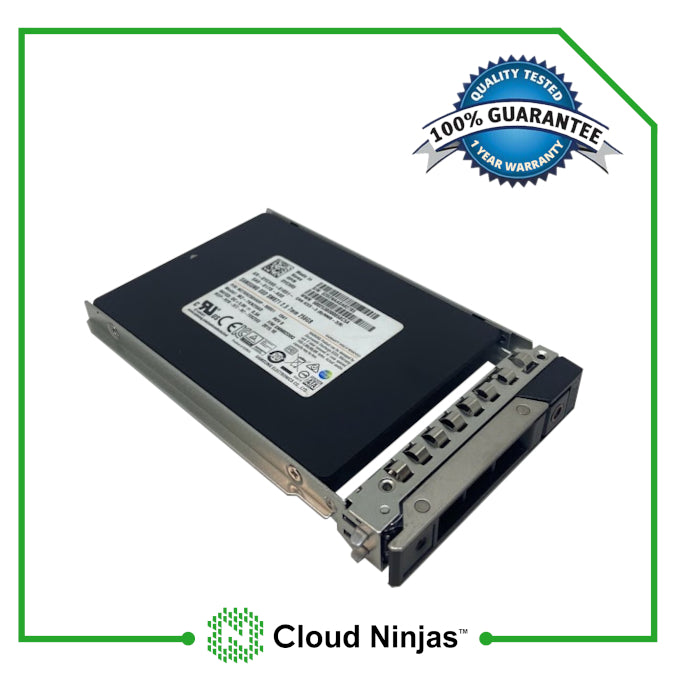
| SSD | 6Gb/s, 12Gb/s | 7.68TB |
Supported Drives (3.5")
| Type | Speeds | Max Capacity (Per Drive) |
|---|---|---|
| SAS | 7.2K | 18TB |
| SATA | 7.2K | 16TB |
| SSD | 6Gb/s, 12Gb/s | 7.68TB |
Power Supplies
How Many Power Supplies does the R340 Support?
The PowerEdge R340 server supports up to two hot-swap power supply units (PSUs). Hot-swap means that PSUs can be removed or added while the system is powered on as long a one unit remains plugged in the system.
Power Supply Options
There are two power supply options for the PowerEdge R340: Platinum 350W and Platinum 550W. For higher-end applications, it is best to go with the 550W option. For lower-end applications, the 350W option is fine.
RAID Options
| RAID Options | RAID Levels | Cache | Drive Speeds | PCIe Generation | RAID Hardware |
|---|---|---|---|---|---|
| S140 onboard software | 0,1,5,10 | None | 6 Gb/s SATA/NVMe | N/A | Software |
| HBA330 | Passthrough | None | 6 Gb/s SAS/SATA 12 Gb/s SAS |
PCIe 3.0 | Hardware |
| 12Gbps SAS Ext. HBA | Passthrough | None | 12 Gb/s SAS | PCIe 3.0 | Hardware |
| H330 | 0, 1, 5, 10, 50 | None | 6 Gb/s SATA 12 Gb/s SAS |
PCIe 3.0 | Hardware |
| H730P | 0, 1, 5, 6, 10, 50, 60 | 2 GB NV | 6 Gb/s SATA 12 Gb/s SAS |
PCIe 3.0 | Hardware |
Network Interface Card Options
Daughter Cards
| Broadcom 5720/57412 Quad Port 2x1GbE RJ45 + 2x10GbE SFP+ |
| Broadcom 5720 Quad Port 4x1GbE RJ45 |
| Broadcom 57414 Dual Port 2x10/25GbE SFP28 |
| Intel i350/X550 Quad Port 2x1GbE RJ45 + 2x10GbE RJ45 |
| Intel X550 Quad Port 4x10GbE RJ45 |
| Intel X710 Quad Port 4x10GbE SFP+ |
| Mellanox ConnectX-4 Lx Dual Port 10/25GbE SFP28 V2 |
| Mellanox ConnectX-4 Lx Dual Port 10/25GbE SFP28 |
PCIe Cards
| Broadcom 5719 Quad Port 4x1GbE RJ45 |
| Broadcom 5720 Dual Port 2x1GbE RJ45 |
| Broadcom 57412 Dual Port 2x10GbE SFP+ |
| Broadcom 57414 Dual Port 2x10/25GbE SFP28 |
| Broadcom 57416 Dual Port 2x10GbE RJ45 |
| Broadcom 57508 Dual Port 2x100GbE QSFP |
| Intel X550 Dual Port 2x10GbE RJ45 |
| Intel X710-T2L Dual Port 2x10GbE RJ45 |
| Intel X710-T4L Quad Port 4x10GbE RJ45 |
| Intel E810-XXV Dual Port 2x10/25GbE SFP28 |
| Mellanox ConnectX-4 LX Dual Port 2x10/25GbE SFP28 V2 |
| Mellanox ConnectX-4 LX Dual Port 2x10/25GbE SFP28 |
| Mellanox ConnectX-5 Dual Port 2x10/25GbE SFP28 V2 |
| Emulex LPE 35002 Dual Port 2x32Gb FC HBA |
| Emulex LPE 35000 Single Port 1x32Gb FC HBA |
| Emulex LPe31002 Dual Port 2x16Gb FC HBA V2 |
| Emulex LPe31000 Single Port 1x16Gb FC HBA V2 |
| QLogic 2690 Single Port 1x16Gb FC HBA V2 |
| QLogic 2772 Dual Port 2x32Gb FC HBA V2 |
Systems Management Solutions
The Dell PowerEdge R340 Server utilizes the Integrated Dell Remote Access Controller 9 (iDRAC9), which allows you to easily manage your Dell server. The iDRAC9 web interface provides a variety of useful information and features, that make managing your Dell server an easy task. Features include, but are not limited to hardware monitoring, power control, remote console, control over system settings, firmware update control, storage management, and much more. You can access the iDRAC9 web interface, by setting the iDRAC IP in system setup, and searching the IP in a web browser.
Supported Operating Systems:
The PowerEdge R340 supports a wide variety of operating systems which ranges from different distributions of Linux, VMware, and Windows Server. These operating systems are:
- ⦿ Citrix XenServer 7.1
- ⦿ Red Hat® Enterprise Linux 7
- ⦿ Red Hat® Enterprise Linux 8
- ⦿ Red Hat® Enterprise Linux 9
- ⦿ SUSE Linux ES 15
- ⦿ Ubuntu Server 18.04 LTS
- ⦿ Ubuntu Server 20.04 LTS
- ⦿ VMware ESXi 6.5
- ⦿ VMware ESXi 6.7
- ⦿ VMware ESXi 7.0
- ⦿ VMware ESXi 8.0
- ⦿ Window Server 2012 R2
- ⦿ Window Server 2016
- ⦿ Window Server 2019 LTSC
Technical Information
Technical Information Overview
The Dell PowerEdge R340 is a powerful 1U rackmount server, that can handle almost anything you throw at it. It is loaded with features that expand the cababilities of the system. Learning about these features is the best thing you can do to fully take advantage of the perks of the R340. We have compiled a few guides that are useful for learning the ins and outs of the Dell PowerEdge R340 server.
Technical Guide
Learn the ins and outs of the R340: View PowerEdge R340 Technical Guide
Technical Specifications
For all technical information regarding the PowerEdge R340, refer to the R340 technical specificaitons: View PowerEdge R340 Technical Specifications
Spec Sheet
Need a quick overview of the R340's specs? Check out the R340 spec sheet: View PowerEdge R340 Spec Sheet
Installation and Service Manual
Need help installing/replacing components or with using diagnostic's tools? The Installation and Service Manual is a fantastic resource: View PowerEdge R340 Installation and Service Manual
Integrated Dell Remote Access Controller 9 User's Guide
Everything you need to know about iDRAC9, all in one place: View PowerEdge R340 iDRAC9 User's Guide
Lifecycle Controller User's Guide
Navigate Lifecycle Controller with the Lifecycle Controller User's Guide: View PowerEdge R340 Lifecycle Controller Setup Guide
Dell Systems Management Overview
Learn about the R340's System Management Technologies: View PowerEdge R340 Dell System Management Overview Guide
BIOS Upgrade EFI File Download
Upgrade your BIOS Via an EFI File: Download PowerEdge R340 BIOS Upgrade EFI File
Cloud Ninjas' Videos for Dell PowerEdge R340 Server
- CPUs
- Memory
- Drives
- NVMe
- Different Chassis Types
- RAID
- BIOS
- iDRAC
- Mass Updates
- How to set IP Address
- How to install VMware ESXI 7.0.3
- Network Cards
- Power Supplies
- How to Rack
- How to Install Windows Server 2016
CPUs
Memory
Drives
NVMe
Coming Soon
Different Chassis Types
RAID
BIOS
iDRAC
Mass Updates
How to set IP Address
How to install VMware ESXI 7.0.3
Coming Soon
Network Cards
Power Supplies
How to Rack
How to Install Windows Server 2016
Customer's Comments and Reviews

- Choosing a selection results in a full page refresh.
- Press the space key then arrow keys to make a selection.