
HPE ProLiant DL380 Gen9 Server
The HPE ProLiant DL380 Gen9 Server is a high-performance 2U rack server engineered for virtualization, enterprise applications, cloud infrastructure, and data-driven workloads. Fully customizable through Cloud Ninjas, this platform offers scalable compute, flexible storage, and advanced memory configurations to meet evolving business demands. Powered by Intel Xeon E5-2600 v3 and v4 processors, the DL380 Gen9 delivers exceptional reliability, energy efficiency, and workload performance for modern IT environments. Supporting high-capacity DDR4 SmartMemory, multiple storage options, and integrated HPE iLO management, this server is designed to simplify deployment, improve uptime, and provide dependable operation across enterprise data centers.
- 2U Enterprise
- Intel Xeon
- DDR4 RAM
- Virtualization Ready

Configure your HPE ProLiant DL380 Gen9 Server
HPE ProLiant DL380 Gen9 Server Specifications
Cloud Ninjas' HPE ProLiant DL380 Gen9 Specifications
Chassis
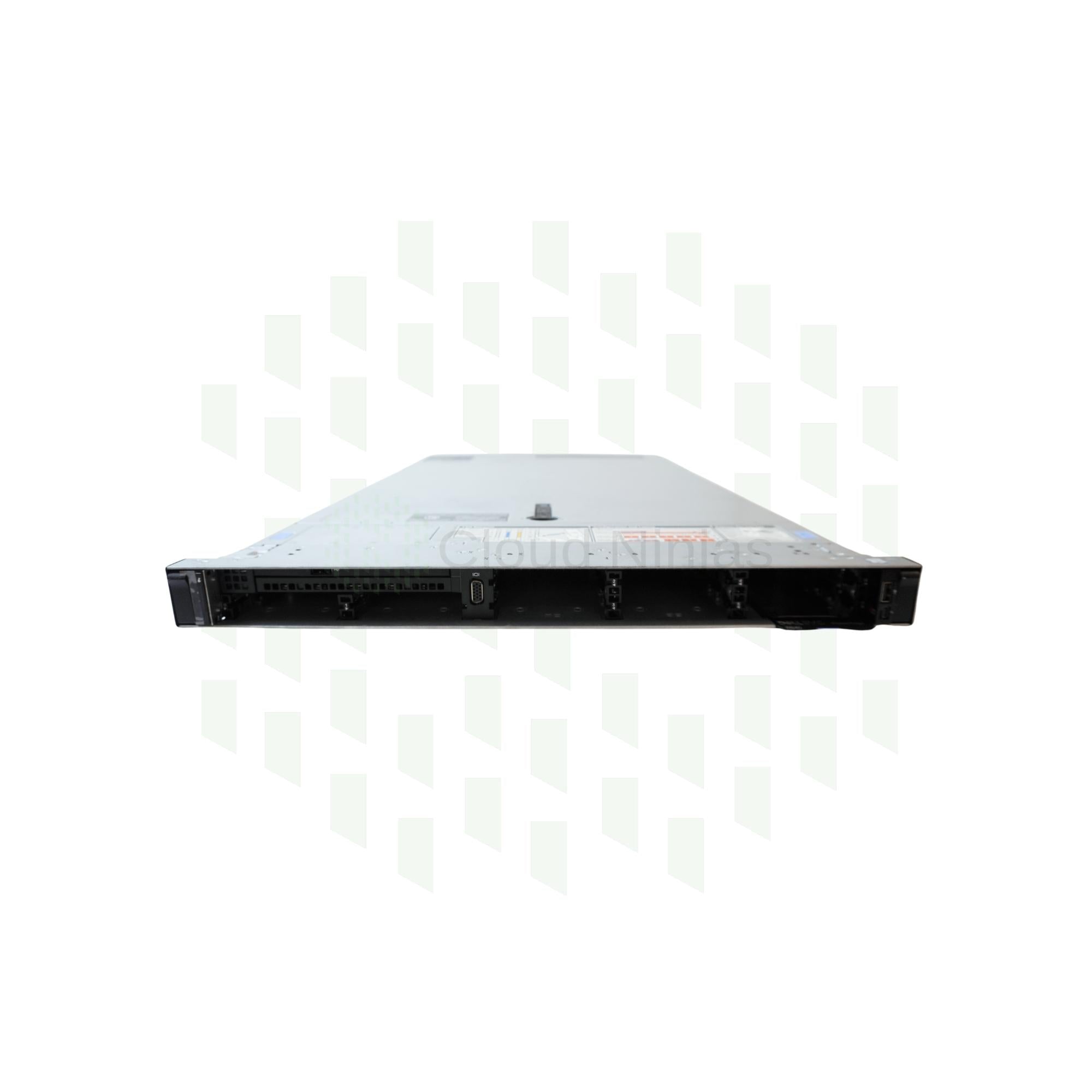
The HPE ProLiant DL380 Gen9 server is powerful, general-purpose server. This server is perfect for businesses of all sizes. This 2U rackmount server has three chassis options to choose from: 8 Bay SFF, 16 Bay SFF, 24 Bay SFF, 12 Bay LFF.
8 Bay SFF
There are many different ways to configure the DL380 Gen9's 8 Bay SFF chassis. The base 8 Bay SFF chassis accepts up to eight 2.5" SAS/SATA hard drives and/or solid-state drives. An optional universal media bay can be installed into Bay1. You can also install optional six NVMe drive bays into Bay2. These NVMe drive bays accept 2.5" NVMe SSDs. Drive bays for this chassis are hot swap. The rear of the 8 Bay SFF chassis includes two type A USB 3.0 ports, four embedded 1GbE RJ45 LAN ports, a dedicated iLO port, a VGA port, a serial connector, a FlexibleLOM (FLOM) card slot, six full-height PCIe slots, and two hot-swap power supply bays.
16 Bay SFF
The 16 Bay SFF chassis for the DL380 Gen9 accepts up to sixteen 2.5" SAS/SATA hard drives and/or solid-state drives. Drive bays for the 16 Bay SFF chassis are hot swap. The rear of the chassis includes two type A USB 3.0 ports, four embedded 1GbE RJ45 LAN ports, a dedicated iLO port, a VGA port, a serial connector, a FlexibleLOM (FLOM) card slot, six full-height PCIe slots, and two hot-swap power supply bays.
24 Bay SFF
The 10 Bay SFF chassis for the DL380 Gen9 supports up to twenty-four 2.5" SAS/SATA hard disk drives and/or solid-state drives. There is an option to add an addition two 2.5" drive bays into the rear of this chassis. The two rear drive bays support 2.5" SAS/SATA drives. The rear of the 24 Bay SFF chassis includes two type A USB 3.0 ports, four embedded 1GbE RJ45 LAN ports, a dedicated iLO port, a VGA port, a serial connector, a FlexibleLOM (FLOM) card slot, six full-height PCIe slots, and two hot-swap power supply bays. If the rear drive kit is installed, there will be two 2.5" drive bays on the rear of the chassis.
12 Bay LFF
The final chassis for the HPE DL380 Gen9 is the 12 Bay LFF. This is the only DL380 Gen9 chassis the accepts 3.5" drives. The 12 Bay LFF chassis can accept up to twelve 3.5" SAS/SATA drives. 2.5" drives can be installed via a 2.5" to 3.5" drive converter. The 12 Bay LFF chassis has the option to install optional 3.5" drive bays. This allows you to add in a total of three 3.5" drives into the rear of the DL380 Gen9's chassis. Drive bays for this chassis are hot swap. The rear of the 10 Bay SFF chassis includes two type A USB 3.0, a VGA port, a serial connector, an iLO 4 port, four 1GbE RJ45 Ethernet ports, one FLOM bay, one full-height PCIe 3.0 x16 slot, one low-profile PCIe 3.0 x8 slot, one low-profile PCIe 3.0 x16 slot, and two hot-swap power supply bays. If the rear drive kit is installed, there will be an additional three 3.5" drive bays on the rear of the chassis.
Processing Power
The HPE ProLiant DL380 Gen9 server supports up to two Intel Xeon E5-2600 v3 or E5-2600 v4 processors. Both CPU sockets are LGA2011-3 sockets. This server has an Intel C600 chipset. Up to 22 cores per processor are supported. That means that this system supports a max of 44 CPU cores. Intel Xeon 2600 v3 and v4 processor series have support for virtualization. To use a v4 processor, you may need to update your BIOS.
Intel Xeon E5-2600 v3 Series Processors
| CPU | Step Code | Cores | Frequency |
|---|---|---|---|
| E5-2603v3 | SR20A | 6 | 1.60 GHz |
| E5-2608Lv3 | SR21P | 6 | 2.00 GHz |
| E5-2609v3 | SR1YC | 6 | 1.90 GHz |
| E5-2618Lv3 | SR200 | 8 | 2.30 GHz |
| E5-2620v3 | SR207 | 6 | 2.40 GHz |
| E5-2623v3 | SR208 | 4 | 3.00 GHz |
| E5-2628Lv3 | SR1XZ | 10 | 2.00 GHz |
| E5-2630v3 | SR206 | 8 | 2.40 GHz |
| E5-2630Lv3 | SR209 | 8 | 1.80 GHz |
| E5-2637v3 | SR202 | 4 | 3.50 GHz |
| E5-2640v3 | SR205 | 8 | 2.60 GHz |
| E5-2643v3 | SR204 | 6 | 3.40 GHz |
| E5-2648Lv3 | SR1XW | 12 | 1.80 GHz |
| E5-2650v3 | SR1YA | 10 | 2.30 GHz |
| E5-2650Lv3 | SR1Y1 | 12 | 1.80 GHz |
| E5-2658v3 | SR1XV | 12 | 2.20 GHz |
| E5-2658Av3 | SR27T | 12 | 2.90 GHz |
| E5-2660v3 | SR1XR | 10 | 3.30 GHz |
| E5-2667v3 | SR203 | 8 | 3.20 GHz |
| E5-2670v3 | SR1XS | 12 | 2.30 GHz |
| E5-2680v3 | SR1XP | 12 | 2.50 GHz |
| E5-2683v3 | SR1XH | 14 | 2.00 GHz |
| E5-2690v3 | SR1XN | 12 | 2.60 GHz |
| E5-2695v3 | SR1XG | 14 | 2.30 GHz |
| E5-2697v3 | SR1XF | 14 | 2.60 GHz |
| E5-2698v3 | SR1XE | 16 | 2.30 GHz |
| E5-2699v3 | SR1XD | 18 | 2.30 GHz |
Intel Xeon E5-2600 v4 Series Processors
| CPU | Step Code | Cores | Frequency |
|---|---|---|---|
| E5-2603v4 | SR2P0 | 6 | 1.70 GHz |
| E5-2608Lv4 | SR2P9 | 8 | 1.60 GHz |
| E5-2609v4 | SR2P1 | 8 | 1.70 GHz |
| E5-2618Lv4 | SR2PE | 10 | 2.20 GHz |
| E5-2620v4 | SR2R6 | 8 | 2.10 GHz |
| E5-2623v4 | SR2PJ | 4 | 2.60 GHz |
| E5-2628Lv4 | SR2NC | 12 | 1.90 GHz |
| E5-2630Lv4 | SR2P2 | 10 | 1.80 GHz |
| E5-2630v4 | SR2R7 | 10 | 2.20 GHz |
| E5-2637v4 | SR2P3 | 4 | 3.50 GHz |
| E5-2640v4 | SR2NZ | 10 | 2.40 GHz |
| E5-2643v4 | SR2P4 | 6 | 3.40 GHz |
| E5-2648Lv4 | SR2ND | 14 | 1.80 GHz |
| E5-2650Lv4 | SR2N8 | 14 | 1.70 GHz |
| E5-2650v4 | SR2N3 | 12 | 2.20 GHz |
| E5-2658v4 | SR2NB | 14 | 2.30 GHz |
| E5-2660v4 | SR2N4 | 14 | 2.00 GHz |
| E5-2667v4 | SR2P5 | 8 | 3.20 GHz |
| E5-2680v4 | SR2N7 | 14 | 2.40 GHz |
| E5-2683v4 | SR2JT | 16 | 2.10 GHz |
| E5-2687Wv4 | SR2NA | 12 | 3.00 GHz |
| E5-2690v4 | SR2N2 | 14 | 2.60 GHz |
| E5-2695v4 | SR2J1 | 18 | 2.10 GHz |
| E5-2697Av4 | SR2K1 | 16 | 2.60 GHz |
| E5-2697v4 | SR2JV | 18 | 2.30 GHz |
| E5-2698v4 | SR2JW | 20 | 2.20 GHz |
| E5-2699v4 | SR2JS | 22 | 2.20 GHz |
| E5-2699Rv4 | SR31X | 22 | 2.20 GHz |
| E5-2699Av4 | SR30Y | 22 | 2.40 GHz |
Memory
DIMM slots & Memory Channels
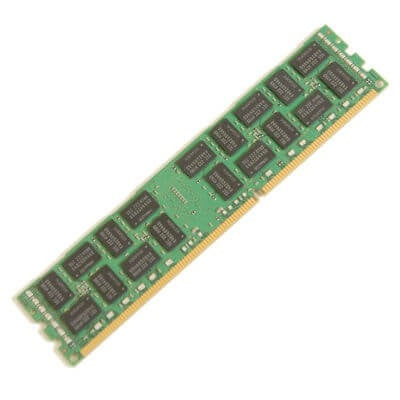
The HPE ProLiant DL380 Gen9 server is a DDR4 based machine with 24 DIMM slots and 8 memory channels. Each channel consists of 3 DIMM slots.
Supported Memory Types
The DL380 Gen9 accepts both ECC Registered (RDIMM) and Load Reduced (LRDIMM) memory. It is important to not mix together memory types. For example, if you are installing LRDIMMs into your server, do not install any RDIMMs. If you are installing RDIMMs, do not install any LRDIMMs. Mixing memory types can lead to issues such as boot failure.
Supported Memory Capacities
Modules capacities of 4GB, 8GB, 16GB, 32GB, 64GB, and 128GB. One thing to note is that 64GB and 128GB modules are only available as LRDIMMs. With LRDIMMs, you can achieve an overall greater RAM capacity when compared to RDIMMs.
Max Configurations
With ECC Registered, the max RAM you can achieve is 768GB via 24 x 32GB DDR4 modules. With Load Reduced memory, 3072GB (3TB) can be reach via a configuration of 24 x 128GB DDR4 modules.
Supported Memory Speeds
The HPE DL380 G9 supports module speeds of 2133MT/s and 2400MT/s. 2666MT/s modules can be installed as well, but it will clock down to the fastest speed of the system. The fastest speed that memory modules will run at depends on the processor that is installed. If you install a module with a speed that is faster than the maximum supported speed of the processor, that module will clock down to the max speed. For example, if the installed processor supports a max speed of 2133MT/s and you install a 2400MT/s module, the module will operate at 2133MT/s. It is also not recommended to mix together modules with different speeds. With mixing module speeds, the system will still function properly, but all modules will clock down to the speed of the slowest module.
Storage
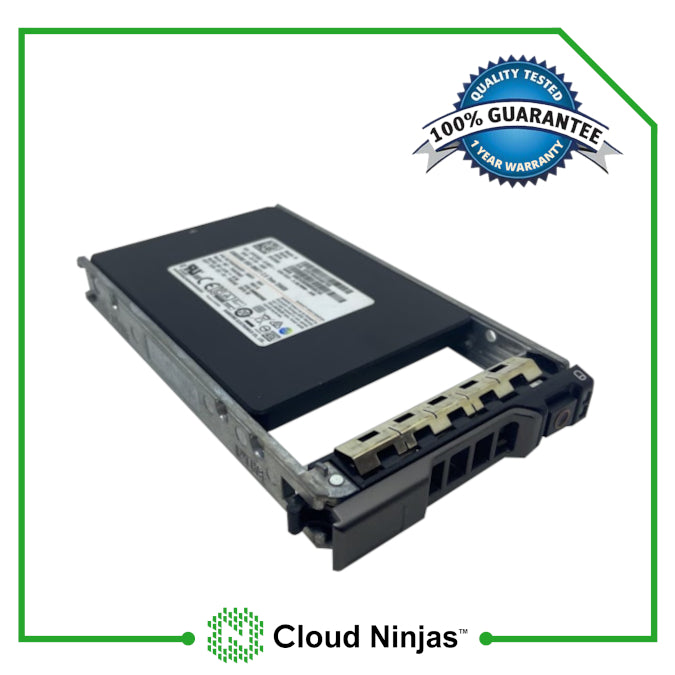
The DL380 G9 chassis that you have will determine what form factor and number of drives you can install. With the 8 Bay SFF chassis, you can install up to eight 2.5" SAS/SATA hard drives. With the 8 Bay SFF chassis, you can install an optional Universal Media Bay kit, additional eight 2.5" drive bays, and/or six NVMe drive bays. The six NVme drive bays will allow you to use NVMe SSDs. Next, the 16 Bay SFF chassis can accept up to sixteen 2.5" SAS/SATA hard drives and/or solid-state drives. The 24 Bay SFF chassis can accept up to twenty-four 2.5" hard drives or solid-state drives. Two additional 2.5" drives can be installed if there is a rear drive kit installed. Lastly, the 12 Bay LFF chassis accepts up to twelve 3.5 SAS/SATA drives. 2.5" HDDs and/or SSDs can be installed via a 2.5" to 3.5" drive converter. The 12 Bay LFF chassis also has the option to install an additional three 3.5" drive bays into the rear of the chassis. All four chassis for the DL380 Gen9 are hot swap, meaning the drives can be added or removed while the server is powered on.
Supported Drives (2.5")
| Type | Speeds | Max Capacity Per Drive |
|---|---|---|
| SAS | 7.2K, 10K, 15K | 2.4TB |
| SATA | 7.2K | 2TB |
| SSD (SAS & SATA) | 3GB/s, 6GB/s, 12GB/s | 15.36TB |
Supported Drives (3.5")
| Type | Speeds | Max Capacity Per Drive |
|---|---|---|
| SAS | 7.2K, 15K | 10TB |
| SATA | 7.2K | 14TB |
| SSD (SAS & SATA) | 3GB/s, 6GB/s, 12GB/s | 15.36TB |
Power Supplies
Power Supplies Overview
There are power supply options for the DL380 Gen9: 500W Platinum, 800W Platinum, 800W Titanium, 800W Universal, 800W -48VDC, and 1400 Platinum. Each power supply option is hot swap, which means that PSUs can be added or removed from the server while it is running, as long as one power supply remains plugged in. There two power supply bays on the rear of each chassis option. If you install two power supplies, the wattages and voltages of the units must be matching. All power supply options for the DL380 Gen9 are great options, but the one that is best for you depends on your application. For low end applications, 500W power supplies are a great option. For higher end applications, 800W or 1400W will work just fine.
RAID Options
The HPE ProLiant DL380 Gen9 supports two types of RAID Controllers and Host Bus Adapters. The first type of controller/adapter plugged into a dedicated spot on the motherboard. The second type is a PCIe card, that plugs into one of the system's PCIe slots. We recommend using a card that connects directly to the motherboard, because it will not take up a PCIe slot that you can use for something else.
| RAID Options | RAID Levels | Cache | Drive Speeds | PCIe Generation | RAID Hardware |
|---|---|---|---|---|---|
| Smart Array B140i Software | 0, 1, 5, 10 | None | 6 Gb/s SATA | N/A | Software |
| Smart Array H240ar | Passthrough | None | 6Gb/s SATA 12Gb/s SAS |
PCIe 3.0 | Hardware |
| Smart Array H240 | Passthrough | None | 6Gb/s SATA 12Gb/s SAS |
PCIe 3.0 | Hardware |
| Smart Array H241 | Passthrough | None | 6Gb/s SATA 12Gb/s SAS |
PCIe 3.0 | Hardware |
| Smart Array P440ar | 0, 1, 5, 6, 10, 10 ADM, 50, 60 | 2GB FBWC | 6Gb/s SATA 12Gb/s SAS |
PCIe 3.0 | Hardware |
| Smart Array P440 | 0, 1, 5, 6, 10, 10 ADM, 50, 60 | 4GB FBWC | 6Gb/s SATA 12Gb/s SAS |
PCIe 3.0 | Hardware |
| Smart Array P840ar | 0, 1, 1 ADM, 5, 6, 10, 10 ADM, 50, 60 | 2GB FBWC | 6Gb/s SATA 12Gb/s SAS |
PCIe 3.0 | Hardware |
| Smart Array P840 | 0, 1, 1 ADM, 5, 6, 10, 10 ADM, 50, 60 | 4GB FBWC | 6Gb/s SATA 12Gb/s SAS |
PCIe 3.0 | Hardware |
Network Interface Card Options
The HPE DL380 Gen9 server has four 1GbE RJ45 port integrated into the motherboard. There is also a dedicated FlexibleLom (FLOM) slot in the rear of the system. This FLOM slot allow you to install cards with up to four ports. If you want additional networking capabilities in addition to the built in network ports and an FLOM card, you can also install PCIe network cards. FLOM and PCIe network cards are available with a variety of different speeds and port types. There are cards with port interfaces of RJ45, SFP, SFP+, SFP28, QSFP, and QSFP28. There are also speed options of 1GbE, 10GbE, 25GbE, 40GbE, and 100GbE. The number of ports, network speeds, and port interfaces that are best for you are entirely based on you applications.
FlexibleLOM (FLOM) Network Cards
| HPE Ethernet 640FLR-SFP28 Dual Port 2 x 10/25GbE SFP28 Network Adapter |
| HPE Ethernet 562FLR-SFP+ Dual Port 2 x 10GbE SFP+ Network Adapter |
| HPE Ethernet 561FLR-T Dual Port 2 x 10GbE RJ45 Network Adapter |
| HPE Ethernet 560FLR-SFP+ Dual Port 2 x 10GbE SFP+ Network Adapter |
| HPE FlexFabric 556FLR-T Dual Port 2 x 10GbE RJ45 Network Adapter |
| HPE FlexFabric 556FLR-SFP+ Dual Port 2 x 10GbE SFP+ Network Adapter |
| HPE Ethernet 546FLR-SFP+ Dual Port 2 x 10GbE SFP+ Network Adapter |
| HPE FlexFabric 536FLR-T Quad Port 4 x 10GbE RJ45 Network Adapter |
| HPE FlexFabric 534FLR-SFP+ Dual Port 2 x 10GbE SFP+ Network Adapter |
| HPE FlexFabric 533FLR-T Dual Port 2 x 10GbE RJ45 Network Adapter |
| HPE Ethernet 366FLR Quad Port 4 x 1GbE RJ45 Network Adapter |
| HPE Ethernet 331FLR Quad Port 4 x 1GbE RJ45 Network Adapter |
PCIe Network Cards
| HPE Ethernet 331T Quad Port 4 x 1GbE RJ45 PCIe Network Adapter |
| HPE Ethernet 361T Dual Port 2 x 1GbE RJ45 PCIe Network Adapter |
| HPE Ethernet 332T Dual Port 2 x 1GbE RJ45 PCIe Network Adapter |
| HPE Ethernet 366T Quad Port 4 x 1GbE RJ45 PCIe Network Adapter |
| HPE Ethernet 562SFP+ Dual Port 2 x 10GbE SFP+ PCIe Network Adapter |
| HPE Ethernet 561T Dual Port 2 x 10GbE RJ45 PCIe Network Adapter |
| HPE Ethernet 560SFP+ Dual Port 2 x 10GbE SFP+ PCIe Network Adapter |
| HPE Ethernet 557SFP+ Dual Port 2 x 10GbE SFP+ PCIe Network Adapter |
| HPE Ethernet 546SFP+ Dual Port 2 x 10GbE SFP+ PCIe Network Adapter |
| HPE Ethernet 530SFP+ Dual Port 2 x 10GbE SFP+ PCIe Network Adapter |
| HPE Ethernet 530T Dual Port 2 x 10GbE RJ45 PCIe Network Adapter |
| HPE Ethernet 620QSFP28 Single Port 1 x 10/25GbE QSFP28 PCIe Network Adapter |
| HPE Ethernet 640SFP28 Dual Port 2 x 10/25GbE SFP28 PCIe Network Adapter |
| QLogic InfiniBand 4X QDR PCIe 2.0 Dual Port 2 x 10/40GbE HCA |
| HPE InfiniBand FDR 545QSFP Dual Port 2 x 10/40GbE SFP PCIe Network Adapter |
| HPE InfiniBand FDR/Ethernet 544+QSFP Dual Port 2 x 10/40GbE QSFP PCIe Network Adapter |
| HPE InfiniBand FDR/Ethernet 544+FLR-QSFP Dual Port 2 x 10/40GbE QSFP PCIe Network Adapter |
| HPE InfiniBand QDR/Ethernet 544+FLR-QSFP Dual Port 2 x 10GbE QSFP PCIe Network Adapter |
| HPE InfiniBand EDR/Ethernet 840QSFP28 Single Port 1 x 100GbE QSFP28 PCIe Network Adapter |
| HPE InfiniBand EDR/Ethernet 840QSFP28 Dual Port 2 x 100GbE QSFP28 PCIe Network Adapter |
| HPE InfiniBand Single Port 1 x 100GbE OP101 QSFP28 x8 PCIe 3.0 with Intel Omni-PathArchitecture Network Adapter |
| HPE InfiniBand Single Port 1 x 100GbE OP101 QSFP28 x16 PCIe 3.0 with Intel Omni-PathArchitecture Network Adapter |
Systems Management Solutions
For server management, the HPE ProLiant DL380 Gen9 server utilizes Integrated Lights-Out 4 (iLO 4). The iLO can be accessed via the integrated iLO port on the rear of the DL380 Gen9. iLO features include: Active Health System Logs, Agentless Management, Deployment and Provisioning, Embedded Remoted Support, iLO Federation Management, Integrated Management Log, Integrated Remote Console, Power Consumption and Power Settings, Power Management, Server Health Monitoring, User Access, and Virtual Media. The iLO has two license types: standard and advanced. A standard license is more limited than the advanced license. The main difference between the two licenses is that an advanced license allows you to use remote console and media functions.
Supported Operating Systems:
The HPE ProLiant DL380 Gen9 Server supports a wide variety of operating systems which ranges from different distributions of Linux, VMware, and Windows Server. The operating systems include, but are not limited to:
- ⦿ Red Hat Enterprise 6.5 and later
- ⦿ SUSE Linux Enterprise Server 11 SP3 and later
- ⦿ Ubuntu Server 14.04 and later
- ⦿ VMware vSphere 5.1 U2 and later
- ⦿ Solaris 11.1 and later
- ⦿ Windows Server 2008 R2 x64
- ⦿ Windows Server 2012
- ⦿ Windows Server 2012 R2
Technical Information
Technical Information Overview
The HP ProLiant DL380 Gen9 rackmount server is a powerful 2U server that is very versitile and can be used for a wide variety of different applications. The DL380 Gen9 is loaded with amazing features. We have compiled a list of manuals to help you get the most out of your HP ProLiant DL380 Gen9!
User Guide
Spec Sheet
iLO 4 User Guide
Cloud Ninjas' Videos for HPE ProLiant DL380 Gen9 Server
- CPUs
- Memory
- Drives
- NVMe
- Different Chassis Types
- RAID
- BIOS
- iLO
- Mass Updates
- How to set IP Address
- How to install VMware ESXI 7.0.3
- Network Cards
- Power Supplies
- How to Rack
- How to Install Windows Server 2016
CPUs
Memory
Drives
NVMe
Coming Soon
Different Chassis Types
Coming Soon
RAID
BIOS
iLO
Mass Updates
Coming Soon
How to set IP Address
How to install VMware ESXI 7.0.3
Network Cards
Power Supplies
How to Rack
How to Install Windows Server 2016
Customer's Comments and Reviews

- Choosing a selection results in a full page refresh.
- Press the space key then arrow keys to make a selection.