
Dell PowerEdge R6525 Server
At Cloud Ninjas we offer the opportunity of you configuring the Dell PowerEdge R6525, with a catalog of different possible chassis and the best prices so you can upgrade your business at the best price for performance. With dual AMD EPYC SP3 socket and 32 memory modules possible, the R6525 offers great performance and shows the heavy improvement over the last generation Dell PowerEdge R640 14th Gen server. Virtualization with this server is the best decision you can make.
- 1U Rackmount
- Virtualization
- AMD EPYC SP3
- NVMe SSD Compatible

Configure your Dell PowerEdge R6525 Server
Dell PowerEdge R6525 Server Specifications
Cloud Ninjas' Dell PowerEdge R6525 Specifications
Chassis
The Dell PowerEdge R6525 is a 1U server designed for High Performance Computing (HPC), Virtual Desktop Infrastructure (VDI), Virtualization, and more. The R6525 is very similar to the R650 but accepts AMD EPYC processors instead of Intel Xeon.
Bay Counts
There are three bay count and form factor options for the PowerEdge R6525. There is a 4 Bay LFF, 8 Bay SFF, and 10 Bay SFF option. The 4 Bay LFF chassis accepts up to four 3.5” hot-swap SAS/SATA drives. 8 Bay SFF accepts up to eight 2.5” SAS/SATA drives. Lastly, the 10 Bay SFF chassis accepts up to ten 2.5” hot-swap SAS/SATA/NVMe drives. With the 10 Bay SFF chassis, you can install two rear drive bays into the back of the system. These drive bays allow you to install two additional 2.5” hot-swap SAS/SATA/NVMe drives.
Chassis Rear & PCIe Slots
There are three possible R6525 rear configurations. The differences between each configuration is it’s PCIe slots and whether it has a rear drive kit. The first configuration has two full-height PCIe slots and no rear drive bays. The second configuration has three low-profile PCIe slots with no rear drive bays. The last configuration has one low-profile PCIe slot and two 2.5” drive bays. Each of these rear configurations have two 1GbE RJ45 Ethernet ports, an OCP card slot, a dedicated iDRAC port, a BOSS S2 module, a system ID button, USB 2.0 and 3.0 ports, a VGA port, and two hot-swap power supply bays.
Processing Power
The Dell PowerEdge R6525 server has two SP3 CPU sockets. This server accepts 2nd or 3rd generation AMD EPYC processors. A maximum of 64 cores per processor is supported.
AMD EPYC 7002 Series (2nd Generation)
| CPU | Cores | Frequency | Cache |
|---|---|---|---|
| 7F72 | 24 | 3.20 GHz | 192 MB |
| 7F52 | 16 | 3.50 GHz | 256 MB |
| 7F32 | 8 | 3.70 GHz | 128 MB |
| 7H12 | 64 | 2.60 GHz | 256 MB |
| 7742 | 64 | 2.25 GHz | 256 MB |
| 7702 | 64 | 2.00 GHz | 256 MB |
| 7702P | 64 | 2.00 GHz | 256 MB |
| 7662 | 64 | 2.00 GHz | 256 MB |
| 7662 | 64 | 2.00 GHz | 256 MB |
| 7642 | 48 | 2.30 GHz | 256 MB |
| 7552 | 48 | 2.20 GHz | 192 MB |
| 7542 | 32 | 2.90 GHz | 128 MB |
| 7532 | 32 | 2.40 GHz | 256 MB |
| 7502 | 32 | 2.50 GHz | 128 MB |
| 7502P | 32 | 2.50 GHz | 128 MB |
| 7452 | 32 | 2.35 GHz | 128 MB |
| 7402 | 24 | 2.80 GHz | 128 MB |
| 7402P | 24 | 2.80 GHz | 128 MB |
| 7352 | 24 | 2.30 GHz | 128 MB |
| 7302 | 16 | 3.00 GHz | 128 MB |
| 7302P | 16 | 3.00 GHz | 128 MB |
| 7282 | 16 | 2.80 GHz | 64 MB |
| 7272 | 12 | 2.90 GHz | 64 MB |
| 7262 | 8 | 3.20 GHz | 128 MB |
| 7252 | 8 | 3.10 GHz | 64 MB |
| 7232P | 8 | 3.10 GHz | 32 MB |
AMD EPYC 7003 Series (3rd Generation)
| CPU | Cores | Frequency | Cache |
|---|---|---|---|
| 7773X | 64 | 2.20 GHz | 768 MB |
| 7763 | 64 | 2.45 GHz | 256 MB |
| 7713P | 64 | 2.00 GHz | 256 MB |
| 7713 | 64 | 2.00 GHz | 256 MB |
| 7663 | 56 | 2.00 GHz | 256 MB |
| 7643 | 48 | 2.30 GHz | 256 MB |
| 7573X | 32 | 2.80 GHz | 768 MB |
| 75F3 | 32 | 2.95 GHz | 256 MB |
| 7543P | 32 | 2.80 GHz | 256 MB |
| 7543 | 32 | 2.80 GHz | 256 MB |
| 7513 | 32 | 2.60 GHz | 128 MB |
| 7473X | 24 | 2.80 GHz | 768 MB |
| 7453 | 28 | 2.75 GHz | 64 MB |
| 74F3 | 24 | 3.20 GHz | 256 MB |
| 7443P | 24 | 2.85 GHz | 128 MB |
| 7443 | 24 | 2.85 GHz | 128 MB |
| 7413 | 24 | 2.65 GHz | 128 MB |
| 7373X | 16 | 3.05 GHz | 768 MB |
| 73F3 | 16 | 3.50 GHz | 256 MB |
| 7343 | 16 | 3.20 GHz | 128 MB |
| 7313P | 16 | 3.00 GHz | 128 MB |
| 7313 | 16 | 3.00 GHz | 128 MB |
| 72F3 | 8 | 3.70 GHz | 256 MB |
Memory
The PowerEdge R6525 server has 32 DDR4 DIMM slots inside. There are eight memory channels for each CPU. Each memory channel consists of two DIMM slots. DIMM slots are colored either white or black to help distinguish the memory channels.
Supported Memory Types and Capacities
Two types of memory can be used with the PowerEdge R6525: ECC Registered (RDIMMs) and Load Reduced (LRDIMMs). Module capacities of 8GB, 16GB, 32GB, 64GB, and 128GB are supported by the R6525 server. One thing to note is that 128GB modules can only be used with Load Reduced. With LRDIMMs, an overall greater RAM capacity can be reached than if you were to use RDIMMs. With RDIMMs, the greatest possible configuration is 2TB (2048GB) with 32x64GB. With LRDIMMs, you can reach 4TB (4096GB) with a configuration of 32x128GB.
Supported Memory Speeds
The PowerEdge R6525 server supports memory speeds of 2666MT/s, 2933MT/s, and 3200MT/s. The processor that you install into your server will determine the maximum memory speed that your DIMMs can operate at. If you install a processor with that supports a lower maximum speed than the speeds you have installed, then the memory modules will clock down to the maximum supported speed. For example, if the installed processor supports a max speed of 2666MT/s, and you install 2933MT/s modules, the modules will operate at 2666MT/s.
Storage
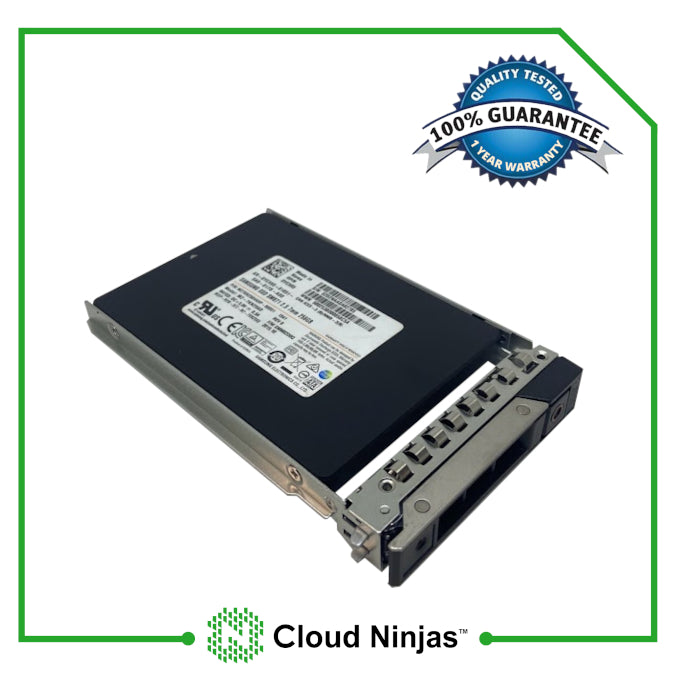
There are many potential storage options that you can install into your PowerEdge R6525. The chassis of the R6525 determines whether you can install 2.5” or 3.5” drives. If your system has a rear drive kit, then two additional 2.5” drives can be installed. The R6525 accepts HDDs, SSDs, and M.2s. Supported drive interfaces for the R6525 are: SATA, SAS, and NVMe
Supported Drives
| Form Factor | Type | Speed | Rotational Speed | Max Capacity Per Drive |
|---|---|---|---|---|
| 3.5" | SATA | 6 Gb | 7.2 K | 10 TB |
| 3.5" | SAS | 12 Gb | 7.2 K | 10 TB |
| 2.5" | SATA | 6 Gb | SSD | 3.84 TB |
| 2.5" | SAS | 12 Gb | SSD | 3.84 TB |
| 2.5" | SATA | 6 Gb | 7.2 K | 2 TB |
| 2.5" | SAS | 12 Gb | 7.2 K | 10 TB |
| 2.5" | SAS | 12 Gb | 10 K | 2.4 TB |
| 2.5" | SAS | 12 Gb | 15 K | 900 GB |
| M.2 | SATA | 6 Gb | SSD | 240GB |
| 2.5" (U.2) | NVMe | Gen4 | SSD | 7.68TB |
NVMe Options & Upgrades
NVMe offers major performance benefits over most non-NVMe drives. Because of this, NVMe is used in datacenters around the world, where speed is crucial. Depending on what R6525 chassis you have, NVMe drives can be installed.
U.2 NVMe and Backplane NVMe
Out of the three R6525 chassis options, only one of them allow you to install U.2 NVMe drives into the backplane. This chassis is the 10 Bay SFF chassis. This chassis can accept up to ten 2.5” U.2 NVMe solid state drives. The 4 Bay LFF and 8 Bay SFF chassis have an NVMe capable backplane. If your system has a rear drive kit, you can install two 2.5” NVMe SSDs.
M.2 NVMe
You may be wondering if the Dell R6525 supports NVMe M.2 drives. M.2 drives can be installed via the BOSS S1 or S2, however NVMe is not supported. Neither the S1 or S2 support NVMe M.2 drives.
Power Supplies
The Dell PowerEdge R6525 can accept up to two hot-swap power supply units (PSUs). Hot-swap means that the PSUs can be added or removed while the server is powered on, as long as one unit remains plugged into the system.
Wattage Options
Wattage options for the PowerEdge R6525 are 800W, 1100W, and 1400W. For more power-intensive applications, a 1100W or 1400W power supply is the best choice. For lower end applications, a 800W power supply works just fine.
Voltage Options
Voltage options for the R6525 are Mixed Mode and -48VDC. Mixed Mode power supplies support a power input of 100-240VAC. -48VDC power supplies support a power input of (-48)-(-60) VDC. Mixed mode options are only available with 800W, 1100W, and 1400W power supplies. -48VDC power supplies are only available with 1100W. It is important to make sure that your connection is supported by your power supply, or your system may not power on.
RAID Options
The Dell PowerEdge R6525 has many storage controllers and adapters to choose from. There are (PERC) RAID and non-RAID options. The type of controller you use depends on your application. If configure RAID is something you do not need, then a non-RAID adapter will be your best choice. Non-RAID adapters can be used as a boot or data controller. On the other hand, if you need the ability to configure RAID, then a PERC RAID controller is your best bet. You can also use a software RAID, but it will be limited when compared to a hardware RAID.
| RAID Options | RAID Levels | Cache | Drive Speeds | PCIe Generation | RAID Hardware |
|---|---|---|---|---|---|
| S150 onboard software | 0,1,5,10 | None | 6 Gb/s SATA/NVMe | PCIe | Software |
| HBA345 | None | None | 3Gb/s SAS/SATA 6 Gb/s SAS/SATA 12Gb/s SAS |
PCIe 3.0 | Hardware |
| HBA355 | None | None | 3Gb/s SAS/SATA 6 Gb/s SAS/SATA 12Gb/s SAS |
PCIe 4.0 | Hardware |
| HBA355e | None | None | 3Gb/s SAS/SATA 6Gb/s SAS/SATA 12Gb/s SAS/SATA |
PCIe 4.0 | Hardware |
| H345 | 0,1,10 | None | 3Gb/s SAS/SATA 6Gb/s SAS/SATA 12Gb/s SAS |
PCIe 3.0 | Hardware |
| H745 | 0,1,5,6,10,50,60 | 4GB NV | 3Gb/s SAS/SATA 6Gb/s SAS/SATA 12Gb/s SAS |
PCIe 3.0 | Hardware |
| H755N | 0,1,5,6,10,50,60 | 8GB NV | Gen3 (8 GT/s) NVMe Gen4 (16 GT/s) NVMe |
PCIe 4.0 | Hardware |
| H840 | 0,1,5,6,10,50,60 | 8GB NV | 6Gb/s SATA 12Gb/s SAS |
PCIe 3.1 | Hardware |
Network Interface Card Options
If you want to connected a device to the Internet, it will need some type of Network Interface Card (NIC). A NIC can manifest as ports that are built-in to the motherboard. A NIC can also manifest as additional card that can be installed into the system. The R6525 has two 1GbE RJ45 ports that are built-in to the motherboard. The R6525 accepts OCP and/or PCIe network cards as well. There are options for RJ45, fiber, or both.
Systems Management Solutions
The Dell PowerEdge R6525 has a ton of system management and support options. These options include but are not limited to: LC 3.x, OpenManage, QuickSync2.0, OMPC3, Digital License Key, iDRAC Direct, Easy Restore, and more.
- ⦿ Integrated Dell Remote Access Controller (iDRAC 9)
- ⦿ iDRAC Service Module (iSM)
- ⦿ OpenManage Ansible Modules
- ⦿ OpenManage Essentials (OME)
- ⦿ OpenManage Mobile (OMM)
- ⦿ OpenManage Integration for VMware vCenter (OMIVV)
- ⦿ OpenManage Integration for Microsoft System Center (OMIMSSC)
- ⦿ Dell EMC Repository Manager (DRM)
- ⦿ Dell EMC System Update (DSU)
- ⦿ Dell EMC Platform Specific Bootable ISO (PSBI)
- ⦿ Dell EMC Chassis Management Controller (CMC)
- ⦿ OpenManage Connections for Partner Consoles
- ⦿ OpenManage Enterprise Power Manager
- ⦿ OpenManage Integration with ServiceNow (OMISNOW)
Supported Operating Systems:
The Dell PowerEdge R6525 supports a vast amount of operating systems. These operating systems include multiple Linux distributions and different versions of VMware ESXi and Windows Server. These operating systems include, but are not limited to:
- ⦿ Red Hat Enterprise Linux 7
- ⦿ Red Hat Enterprise Linux 8
- ⦿ Red Hat Enterprise Linux 9
- ⦿ SuSE Linux ES 15
- ⦿ Ubuntu Server 18.04 LTS
- ⦿ Ubuntu Server 20.04 LTS
- ⦿ VMware ESXi 6.5
- ⦿ VMware ESXi 6.7
- ⦿ VMware ESXi 7.0
- ⦿ VMware ESXi 8.0
- ⦿ Window Server 2016
- ⦿ Window Server 2019 LTSC
- ⦿ Window Server 2022 LTSC
Technical Information
Technical Information Overview
The Dell PowerEdge R6525 is a powerful 1U rackmount server, that can handle almost anything you throw at it. It is loaded with features that expand the capabilities of the system. Learning about these features is the best thing you can do to fully take advantage of the perks of the R6525. We have compiled a few guides that are useful for learning the ins and outs of the Dell PowerEdge R6525 server.
Technical Guide
Learn the ins and outs of the R6525: View PowerEdge R6525 Technical Guide
Specification Sheet
Specification Sheet: View PowerEdge R6525 Spec Sheet
Installation and Service Manual
Need help installing/replacing components or with using diagnostic's tools? The Installation and Service Manual is a fantastic resource: View PowerEdge R6525 Installation and Service Manual
Integrated Dell Remote Access Controller 9 User's Guide
Everything you need to know about iDRAC9, all in one place: View PowerEdge R6525 iDRAC9 User's Guide
Lifecycle Controller User's Guide
Navigate Lifecycle Controller with the Lifecycle Controller User's Guide: View PowerEdge R6525 Lifecycle Controller Setup Guide
Dell Systems Management Overview
Learn about the R6525's System Managment Technologies: View PowerEdge R6525 Dell System Management Overview Guide
BIOS Upgrade EFI File Download
Upgrade your BIOS Via an EFI File: Download PowerEdge R6525 BIOS Upgrade EFI File
Cloud Ninjas' Videos for Dell PowerEdge R6525 Server
- CPUs
- Memory
- Drives
- NVMe
- Different Chassis Types
- RAID
- BIOS
- iDRAC
- Mass Updates
- How to set IP Address
- How to install VMware ESXI 7.0.3
- Network Cards
- Power Supplies
- How to Rack
- How to Install Windows Server 2016
CPUs
Coming Soon
Memory
Coming Soon
Drives
Coming Soon
NVMe
Coming Soon
Different Chassis Types
Coming Soon
RAID
Coming Soon
BIOS
Coming Soon
iDRAC
Coming Soon
Mass Updates
Coming Soon
How to set IP Address
Coming Soon
How to install VMware ESXI 7.0.3
Coming Soon
Network Cards
Coming Soon
Power Supplies
Coming Soon
How to Rack
Coming Soon
How to Install Windows Server 2016
Coming Soon
Customer's Comments and Reviews
Related Systems


- Choosing a selection results in a full page refresh.
- Press the space key then arrow keys to make a selection.