
Dell PowerEdge R650xs Server
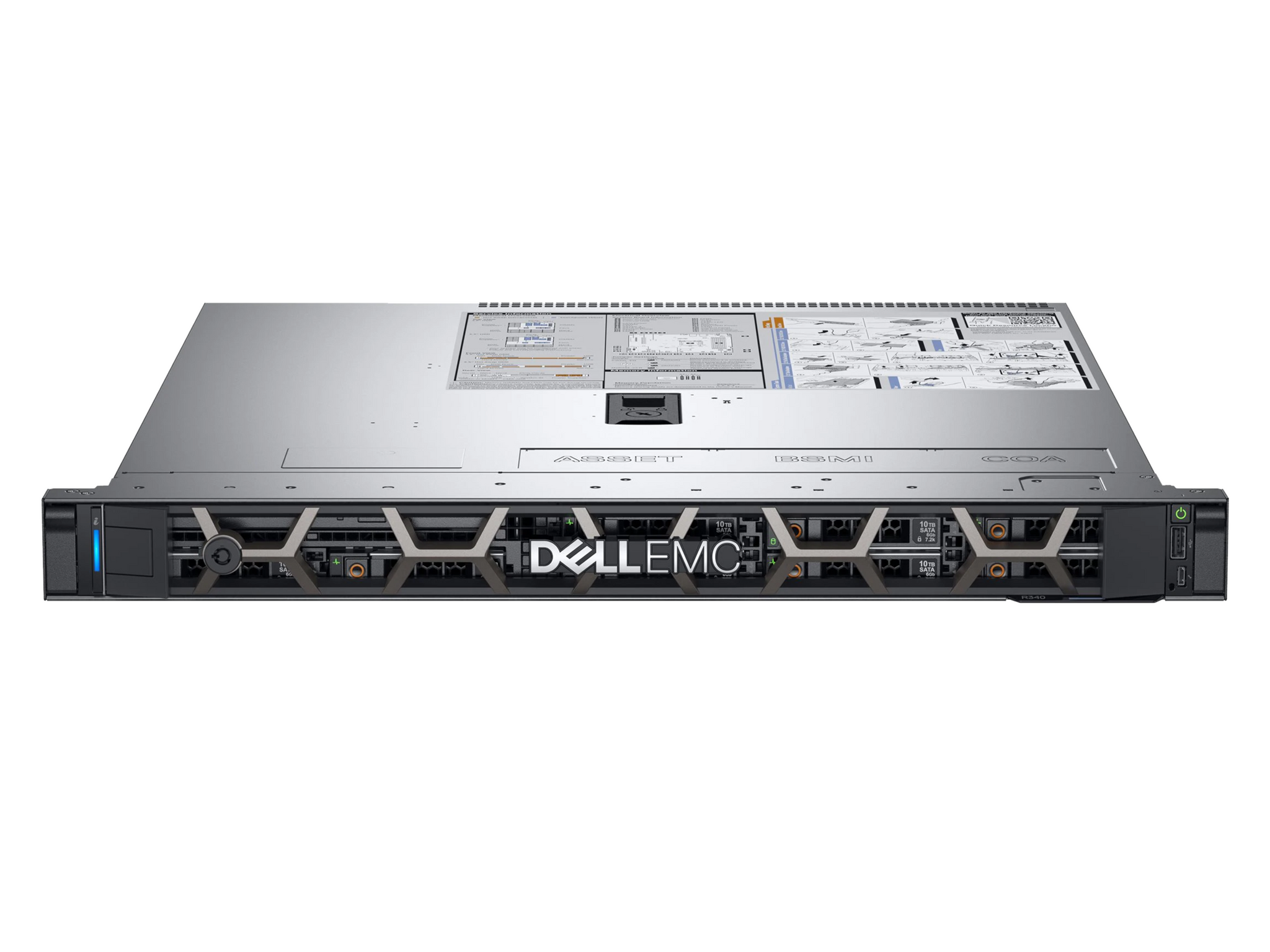
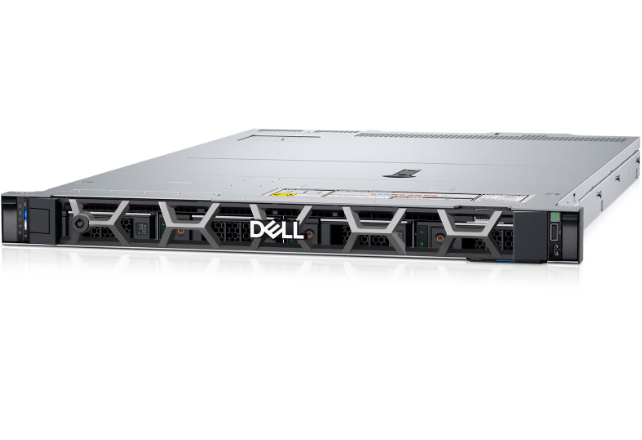
At Cloud Ninjas we offer the opportunity of you configuring the Dell PowerEdge R650xs, with a catalog of different possible chassis and the best prices so you can upgrade your business at the best price for performance. With dual Intel Xeon socket and 16 memory modules possible, the R650xs offers great performance and shows the heavy improvement over the last generation Dell PowerEdge R640 14th Gen server and is seen as a budget version over the R650 server. Virtualization with this server is the best decision you can make.
- 1U Rackmount
- Virtualization
- Intel Xeon Scalable
- NVMe SSD Compatible

Configure your Dell PowerEdge R650xs Server
Dell PowerEdge R650xs Server Specifications
Cloud Ninjas' Dell PowerEdge R650xs Specifications
Chassis
The Dell PowerEdge R650xs is a fast enterprise rackmount server. It is very similar to the PowerEdge R650, but it has some minor differences. We will compare the different R650xs chassis options. We will also cover some of the similarities and differences between the R650 and the R650xs.
R650 vs R650xs
On the surface, the PowerEdge R650 and the R650xs may look identical, however they do have their differences. The R650xs is marketed as a lower cost version of the R650. The R650xs is made for businesses who have a smaller budget. The R650xs is roughly 3 inches shorter than the R650. Both power supply bays on the R650xs are one side of the server, while the R650 has them spread out. R650xs also has support for 600W power supplies, while the R650 does not. The R650xs limits your CPU cores to 32 cores per processor.
Bay Counts and NVMe Capable Backplanes
There is a total of four possible bay counts for the PowerEdge R650xs. These options are: 4 Bay LFF, 8 Bay SFF, 10 Bay SFF, and a 0 Bay Chassis! The 4 Bay LFF chassis can accept a total of four 3.5” SAS/SATA drives in the front. The 8 Bay SFF chassis accepts a total of eight 2.5” drives in the front. For the 8 Bay SFF chassis, there are two possible configurations. The first 8 Bay configuration for the R650xs supports SAS, SATA, or NVMe drives. The second configuration only supports NVMe drives. For the 10 Bay SFF chassis, ten 2.5” SAS, SATA, or NVMe drives can be installed into the backplane. Lastly, there is a chassis that has ZERO drive bays, which accepts no drives at all. This may seem useless, but it is quite useful for In-memory computing (IMC), Computation, and Storage Area Networks (SANs).
Chassis Rear and PCIe Slots
On the rear of the PowerEdge R650xs, there is a total of three low-profile PCIe slots. Two of these slots can be turned into two 2.5” drive bays. Doing so will take up PCIe slots 2 and 3. Located on the chassis rear is two hot-swap power supply bays. There are two 1 GbE RJ45 Ethernet ports as well as an RJ45 iDRAC port. Between PCIe slot 1 and 2 is the BOSS riser, and below the BOSS riser is two USB ports. Next to these USB ports, there is an OCP slots for network cards. Lastly, next to the OCP slot is a VGA port for video accessibility.
Processing Power
The Dell PowerEdge R650xs has two total CPU sockets that accept 3rd Generation Intel Xeon Scalable Processors. Unlike the R650, the R650xs has a 32 core per processor limit. This means that the PowerEdge R650xs supports a max of 64 CPU cores.
Intel Xeon Silver
| CPU | Cores | Frequency | Cache |
|---|---|---|---|
| 4309Y | 8 | 2.80 GHz | 12 MB |
| 4310 | 12 | 2.10 GHz | 18 MB |
| 4310T | 10 | 2.30 GHz | 15 MB |
| 4314 | 16 | 2.40 GHz | 24 MB |
| 4316 | 20 | 2.30 GHz | 30MB |
Intel Xeon Gold
| CPU | Cores | Frequency | Cache |
|---|---|---|---|
| 5315Y | 8 | 3.20GHz | 12 MB |
| 5317 | 12 | 3.00GHz | 18 MB |
| 5318Y | 24 | 2.10 GHz | 36 MB |
| 5320 | 26 | 2.20 GHz | 39 MB |
| 5320T | 20 | 2.30 GHz | 30 MB |
| 6312U | 24 | 2.40 GHz | 36 MB |
| 6314U | 32 | 2.30GHz | 48 MB |
| 6326 | 16 | 2.90 GHz | 24 MB |
| 6330 | 28 | 2.00 GHz | 42 MB |
| 6330N | 28 | 2.20 GHz | 42 MB |
| 6334 | 8 | 3.60 GHz | 18 MB |
| 6336Y | 24 | 2.40 GHz | 36 MB |
| 6338 | 32 | 2.00 GHz | 48 MB |
| 6338N | 32 | 2.20 GHz | 48 MB |
Memory
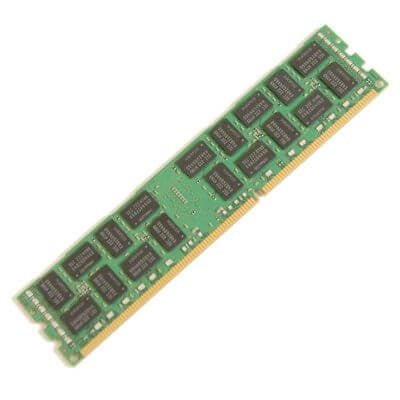
The Dell PowerEdge R650xs has 16 total DDR4 DIMM slots. Only ECC Registered Memory (RDIMMs) can be used with the R650xs. Only modules with capacities of 8GB, 16GB, 32GB, and 64GB can be used with this server. The maximum configuration you can achieve for this system is 1024GB with 16x64GB modules. The Dell PowerEdge R650 server accepts memory speeds of 2666MT/s, 2933MT/s, and 3200MT/s. The processor that you install into your system will determine the maximum memory speed that you RAM can run at. The highest possible memory speed that can be achieved with this system is 3200MT/s. If you install memory modules that have a higher speed than the maximum supported speed, the modules’ speed will clock down to the maximum supported speed of the system. For example, if your processor supports a maximum memory speed of 2666MT/s and you install a 2933MT/s module, the module will run at 2666MT/s.
Storage
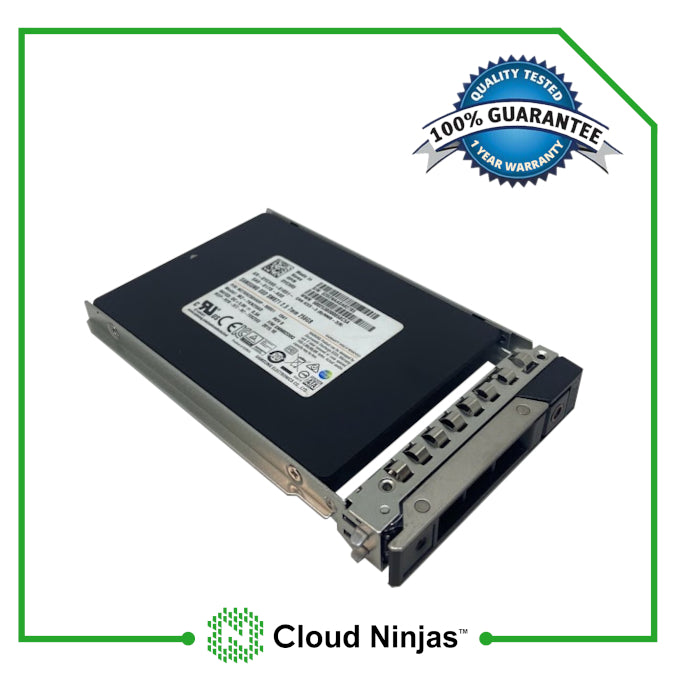
The Dell PowerEdge R650xs has many different storage options. The form factor of your server will determine whether you can use 2.5” or 3.5” drives. With a four bay LFF chassis, you can use 3.5” drives. With the 8 Bay SFF and 10 Bay SFF chassis, you can use 2.5” drives. You can also add in an additional two 2.5” drives in to the rear of the chassis. The PowerEdge R650xs can accept HDDs, SSDs, M.2, and uSDs. Supported drive interfaces for the R650xs are: SATA, SAS, and NVMe.
Supported Drives
| Form Factor | Type | Speed | Rotational Speed | Max Capacity Per Drive |
|---|---|---|---|---|
| 3.5" | SATA | 6 Gb | 7.2 K | 16 TB |
| 3.5" | SAS | 12 Gb | 7.2 K | 16 TB |
| 2.5" | SATA | 6 Gb | SSD | 3.84 TB |
| 2.5" | SAS | 12 Gb | 10 K | 2.4 TB |
| 2.5" | SAS | 12 Gb | 15 K | 900 GB |
| 2.5" | SAS | 12 Gb | SSD | 7.68 TB |
| M.2 | SATA | 6 Gb | SSD | 480GB |
| uSD | N/A | N/A | uSD | 64GB |
| 2.5" (U.2) | NVMe | Gen4 | SSD | 7.68TB |
| 2.5" (U.2) | NVMe | Gen3 | SSD | 7.68TB |
NVMe Options & Upgrades
NVMe is heavily sought after in datacenter environments. NVMe drives offer phenomenal speed performance, especially when compared to most HDDs and non-NVMe drives. For this reason, NVMe drives are critical in environments where speed is essential. If NVMe is something that you need, the R650xs has NVMe capabilities.
U.2 NVMe and Backplane NVMe
We have tested systems in the past that require you to use a NVMe enablement kit in order to give the backplane NVMe capabilities. Luckily, depending on what R650xs chassis you have, the backplane comes with NVMe support out of the box. If you have an 8 Bay SFF or 10 Bay SFF chassis, you can install NVMe drives into the backplane. The 4 Bay LFF chassis does not have an NVMe capable backplane, but if you install a rear drive kit, then you can utilize two NVMe drives. This rear drive kit can be installed into each R650xs chassis.
M.2 NVMe
Two M.2 NVMe drives can be installed into the R650xs with a Dell BOSS-S2 controller card. Unlike the R650, the R650xs cannot use the BOSS-S2 as there is no built-in slot for it. On the system’s motherboard, there is a dedicated slot for the BOSS-S1 card. You can use the drives installed into the BOSS card as boot drives. The BOSS-S1 does support hardware RAID.
Power Supplies
How Many Power Supplies does the R650xs Take?
The Dell PowerEdge R650xs server can hold a total of two hot-swap power supplies. Hot-swap means that the power supplies can be removed or added while the server is running. One power supply unit must remain within the system in order for the system to stay powered on. This allows you to replace bad power supplies without shutting down your server.
Wattage Options
The PowerEdge R650xs has four wattage options which are: 600W, 800W, 1100W, and 1400W. The R650 server does not have a 600W option. A 600W power supply is great for lower power applications. For applications that are more power intensive, the 1100W and 1400W options are the best choice. If you server needs to be running 24/7, install two power supplies into your server. If one unit fails, the second unit can take over until the bad unit is replaced.
Voltage
There are multiple voltage options for each wattage option. Selecting the right voltage for your server is something that can easily be overlooked. The 600W, 800W, and 1400W power supply has two different voltage options. These options are DC/240v and AC/100~240v. The 1100W power supply has three voltage options which are DC/-48~-60v, DC/240v, and AC/100-240v. When choosing a power supply for your server, make sure that the voltage of the unit supports the connection in your lab or data center, or your server may not turn on, or will function at a lower wattage.
Power Supply Placement
The R650xs differs in terms of power supply placement when compared to the R650. On the R650, the power supply bays are spaced out. On the R650xs, the power supply bays are adjacent to each other, just like the R640.
RAID Options
The Dell PowerEdge R650xs has many supported storage controllers. There are RAID (PERC) and non-RAID controller options. The type of controller you choose, heavily depends on your use case. You also have the option to use a software RAID, but this is more limited than a hardware RAID. Non-RAID adapters cannot be used to configure a RAID array, but they can be used as a boot or data controller. On the other hand, with PERC RAID controllers, you can configure your drives into a RAID array.
| RAID Options | RAID Levels | Cache | Drive Speeds | PCIe Generation | RAID Hardware |
|---|---|---|---|---|---|
| S150 onboard software | 0,1,5,10 | None | 6 Gb/s SATA/NVMe | PCIe | Software |
| HBA355E | Passthrough | None | 3 Gb/s SAS/SATA 6 Gb/s SAS/SATA 12 Gb/s SAS |
PCIe 4.0 | Hardware |
| HBA355i | Passthrough | None | 3 Gb/s SAS/SATA 6 Gb/s SAS/SATA 12 Gb/s SAS |
PCIe 4.0 | Hardware |
| h245 | 0,1,10 | None | 3 Gb/s SAS/SATA 6 Gb/s SATA 12 Gb/s SAS |
PCIe 3.0 | Hardware |
| h255 | 0,1,10 | None | 6 Gb/s SATA 12 Gb/s SAS |
PCIe 4.0 | Hardware |
| H745 | 0,1,5,6,10,50,60 | 4GB NV | 3 Gb/s SAS/SATA 6 Gb/s SATA 12 Gb/s SAS |
PCIe 3.0 | Hardware |
| H755 | 0,1,5,6,10,50,60 | 8GB NV | Gen4 (16 GT/s) NVMe Gen3 (8 GT/s) NVMe 3 Gb/s SAS/SATA 6 Gb/s SAS/SATA 12 Gb/s SAS |
PCIe 4.0 | Hardware |
| H755N | 0,1,5,6,10,50,60 | 8GB NV | Gen4 (16 GT/s) NVMe Gen3 (8 GT/s) NVMe |
PCIe 4.0 | Hardware |
| H840 | 0,1,5,6,10,50,60 | 8GB NV | 6 Gb/s SATA 12 Gb/s SAS |
PCIe 3.1 | Hardware |
Network Interface Card Options
If you want to connect your server to your network or to the Internet, you will need to install a network card. There are many network cards to choose from for the PowerEdge R650xs. There are options that support RJ45 and Fiber connections. The 15th generation of Dell servers now use OCP cards instead of the Dell proprietary Network Daughter Cards (NDC). PCIe network cards are also supported.
| Network Card Options |
| Dell Broadcom 57416 Dual Port 10GbE RJ45 OCP 3.0 |
| Dell Broadcom 57412 Dual Port 10GbE SFP+ OCP 3.0 |
| Dell Broadcom 57414 Dual Port 25GbE SFP28 OCP 3.0 |
| Dell Broadcom 5720 Quad Port 1GbE RJ45 OCP 3.0 |
| Dell Intel X710 Dual Port 10GbE SFP+ OCP 3.0 |
| Dell Intel X710-T2L Dual Port 10GbE RJ45 OCP 3.0 |
| Dell Intel X710-T4 Quad Port 10GbE RJ45 OCP 3.0 |
| Dell Intel X710 Quad Port 10GbE SFP+ OCP 3.0 |
| Dell Intel X710-T2L Dual Port 10GbE RJ45 OCP 3.0 |
| Dell Intel E810-XXV Dual Port 25GbE SFP28 OCP 3.0 |
| Dell Mellanox ConnectX-5 Dual Port 25GbE SFP28 OCP 3.0 |
| Dell Marvell FastLinQ 41132 Dual Port 10GbE SFP+ OCP 3.0 |
| Dell Qlogic 41232 Dual Port 25GbE SFP28 OCP 3.0 |
Systems Management Solutions
The Dell PowerEdge R650xs server has many different tools and resources that user’s can utilize to manage their server. These tools include, but are not limited to:
- ⦿ Integrated Dell Remote Access Controller (iDRAC 9)
- ⦿ iDRAC Service Module (iSM)
- ⦿ OpenManage Ansible Modules
- ⦿ OpenManage Essentials (OME)
- ⦿ OpenManage Mobile (OMM)
- ⦿ OpenManage Integration for VMware vCenter (OMIVV)
- ⦿ OpenManage Integration for Microsoft System Center (OMIMSSC)
- ⦿ Dell EMC Repository Manager (DRM)
- ⦿ Dell EMC System Update (DSU)
- ⦿ Dell EMC Platform Specific Bootable ISO (PSBI)
- ⦿ Dell EMC Chassis Management Controller (CMC)
- ⦿ OpenManage Connections for Partner Consoles
- ⦿ OpenManage Enterprise Power Manager
- ⦿ OpenManage Integration with ServiceNow (OMISNOW)
Supported Operating Systems:
Most likely, you are going to want to install an Operating system on your R650xs. There are many different options to choose from. Operating systems for the R650xs range from different distributions of Linux, and different versions of VMware ESXi and Windows Server. Below is a list of operating systems that work with the PowerEdge R650xs. There are other operating systems that work with the R650xs, however, theses are only the ones that have been tested by Dell:
- ⦿ Red Hat Enterprise Linux 7
- ⦿ Red Hat Enterprise Linux 8
- ⦿ Red Hat Enterprise Linux 9
- ⦿ SuSE Linux ES 15
- ⦿ Ubuntu Server 20.04 LTS
- ⦿ VMware ESXi 6.7
- ⦿ VMware ESXi 7.0
- ⦿ VMware ESXi 8.0
- ⦿ Window Server 2016
- ⦿ Window Server 2019 LTSC
- ⦿ Window Server 2022 LTSC
Technical Information
Technical Information Overview
The Dell PowerEdge R650xs is a powerful 2U rackmount server, that can handle almost anything that comes it's way. It is loaded with features that can take the system to new heights. Learning about these features is the best thing you can do to fully take advantage of the perks of the R650xs. We have compiled a few guides that are useful for learning the ins and outs of the Dell PowerEdge R650 server.
Technical Guide
Learn the ins and outs of the R650xs: View PowerEdge R650xs Technical Guide
Specification Sheet
A quick run down of the R650xs's Specifications View PowerEdge R650xs Spec Sheet
Installation and Service Manual
Need help installing/replacing components or with using diagnostic's tools? The Installation and Service Manual is a fantastic resource: View PowerEdge R650xs Installation and Service Manual
Integrated Dell Remote Access Controller 9 User's Guide
Everything you need to know about iDRAC9, all in one place: View PowerEdge R650xs iDRAC9 User's Guide
Lifecycle Controller User's Guide
Navigate Lifecycle Controller with the Lifecycle Controller User's Guide: View PowerEdge R650xs Lifecycle Controller Setup Guide
Dell Systems Management Overview
Learn about the R650xs's System Management Technologies: View PowerEdge R650xs Dell Systems Management Overview Guide
BIOS Upgrade EFI File Download
Upgrade your BIOS Via an EFI File: Download PowerEdge R650xs BIOS Upgrade EFI File
Cloud Ninjas Systems Videos
- CPUs
- Memory
- Drives
- NVMe
- Different Chassis Types
- RAID
- BIOS
- iDRAC
- Mass Updates
- How to set IP Address
- How to install VMware ESXI 7.0.3
- Network Cards
- Power Supplies
- How to Rack
- How to Install Windows Server 2016
CPUs
Coming Soon
Memory
Coming Soon
Drives
Coming Soon
NVMe
Coming Soon
Different Chassis Types
Coming Soon
RAID
Coming Soon
BIOS
Coming Soon
iDRAC
Coming Soon
Mass Updates
Coming Soon
How to set IP Address
Coming Soon
How to install VMware ESXI 7.0.3
Coming Soon
Network Cards
Coming Soon
Power Supplies
Coming Soon
How to Rack
Coming Soon
How to Install Windows Server 2016
Coming Soon
Customer's Comments and Reviews
- Choosing a selection results in a full page refresh.
- Press the space key then arrow keys to make a selection.